|
|
BitCryptAn Ultra-Strong Encryption that is easy to use |
|||
|
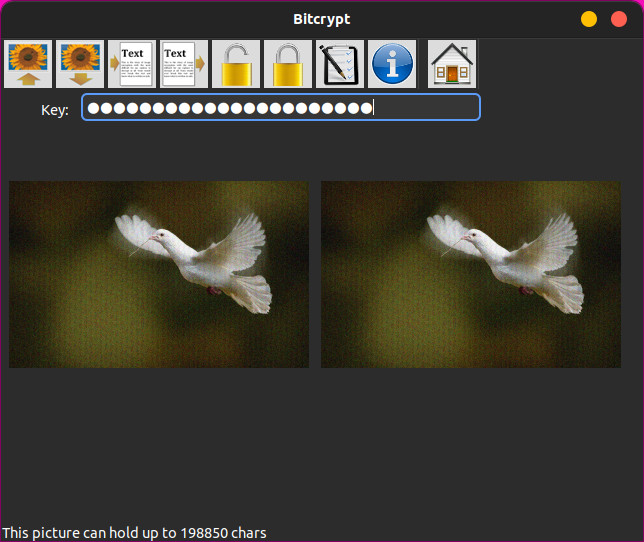
Please entertain yourself by reading the following story. I was born in Poland in the late 50s and grew up in an environment imposed by the Cold War. When I was a young teenager, I saw on TV a news clip relating to an arrest of a suspected spy. The man was caught while looking under a rock, moved by someone else beforehand. So the story went like this. The man lived in a house with a view of a garden. Some twenty meters in front of his window a small rock was sitting on the ground. Someone came about and placed something under the rock. Subsequently, the man went outside and looked under it. This was caught on camera and the man was arrested. The reason being, that a secret message was being passed to him in this way. So he must have been a spy. Now, I don't recall any follow-up of that story. I don't know if he was convicted or not. But I must have been shocked while watching it because it stayed with me for all those years. Later, while growing up, I went to various schools and universities. In the process, I gained a bit of practical knowledge. Over those years I was trained in mathematics and physics and had plenty of computer experience. I even had a go at a Ph.D. in theoretical physics. Most of that schooling was done in New Zealand and the U.S.A. as I had to leave Poland in the 80s. Maybe I was shocked that one could be framed like this. Or, maybe I was shocked by the amount of power the authorities had over an individual. But then, in some later years, I had this huge drive in me to respond in some way to the incident I saw all those years before. I suppose, the problem was that he was caught on camera. He was seen, and that was taken as a proof of his guilt. Thus, the idea of passing information to someone else without being noticed became a pressing project for me. Now, this is a very serious question. Both theoretical and practical in nature. As we all know from physics, any form of intervention in the environment changes it. Thus, if you touch you are being touched. So the theoretical answer is a simple No. In other words, placing information into a picture must change it. But, from the practical point of view, is there a way to make the change impossible to discern? In other words, yes we have changed the picture, but would you be able to determine if that change contains any meaningful information? Bitcrypt is an attempt to answer this question through its workings. The encoded picture is different from the original one, but at the same time, no entity can determine if that change contains any meaningful information. Yet to break into it without a key.
|
||||
|
ADVERTISEMENT |
||||
|
|
||||
|
|
|
|||
Concise Usage Description |
||||
To encrypt follow the steps below
|
To decrypt follow the steps below
|
|||
Keywords: encryption, text encryption, steganography, encryption techniques, secure encryption, powerful encryption, unbreakable encryption, very strong encryption, secret communication, covert transmission, secure transmission, watertight security, secure communication, opaque information transmission |
||||